
Job postings are free!
Hire people who are ready to get their start.
Fun First Jobs helps employers connect with first-time and early-career job seekers looking for real opportunities to work, learn and grow.
Post seasonal jobs, year-round openings and everything in between. Send applicants to your existing hiring system or manage applications right inside Fun First Jobs.
Built by people who have been there
Fun First Jobs grew out of real experience hiring first-time and early-career workers, including lifeguards starting at age 15. We know what it’s like to have good jobs open, promote them everywhere and still struggle to reach the people you’re trying to hire.
So we built a job board focused on first-job hiring: made for people who are ready to get their start, and for the employers who want to hire them.
Finding your next first-time hire shouldn’t be harder than it needs to be.
Built for first-job hiring
Built for the people you’re trying to hire
A job board built around first jobs, seasonal work and early-career roles.
Make your opening easy to understand
Pay, schedule, minimum hiring age, training and experience needed show up front.
Use your hiring process, or ours
Send applicants to your own hiring system, or let them apply here.
Manage applicants without building a system
Recruiting statuses, team notes, PDFs and a focused CSV export, built in.
See how your posting is doing
Track impressions, job views, saves and Apply clicks for every job.
Job postings are free
No posting fees. Verification and review still apply.
Posting a job is simple
Create your employer account
Sign up with your name and work email, then confirm your email address.
Verify your organization
We check that your organization is real and that you’re connected to it. You can draft jobs while we review.
Build your job
A guided form covers duties, pay and schedule, requirements, training and how to apply. Save a draft anytime.
Review and submit
Preview your listing the way job seekers will see it, then submit it for review.
Step 7 of 7: Review and submit
Preview: what job seekers will see
Seasonal Lifeguard
Examplewood Parks & RecreationVerified employer
- Examplewood, TX
- Pay: $15–$17 per hour
- Part-time, Seasonal
- No experience required
- Training provided
- Minimum hiring age: 15 & older
- How to apply
- Apply on employer website
- Hiring timeline
- Until a specific date
Use the hiring process that works for you
Whether you have a full hiring system or manage applications yourself, Fun First Jobs fits the way you hire.
Already have a hiring system?
Keep it.
Using a careers page, applicant tracking system or government hiring portal? Choose Apply on employer website, and the Apply button on your listing sends candidates straight to your application.
Your process doesn’t change. A good fit for government agencies, school districts, universities, larger nonprofits, hotels, restaurant groups, retailers and other multi-location employers.
Hiring across multiple locations? Contact us and we’ll help you find the best way to get started.
Need a simple application process?
Use Apply on Fun First Jobs.
Candidates apply right on the site with their free Fun First Jobs profile, so they don’t retype the basics. You choose the questions, and applications arrive in your employer dashboard.
A good fit for camps, pools, restaurants, churches, small businesses and small nonprofits.
You decide what fits each job.
Keep your applicants organized
When people apply on Fun First Jobs, your employer dashboard keeps everything in one place.
- Avery ExampleNewNot opened yet
Applied Oct 6
- CPR/AED
- First aid
- Jordan SampleInterviewing
Applied Oct 3
- Teamwork
- Leading games
- Casey DemoWithdrawn
Applied Sep 29
- Review applications and the contact details applicants included
- Set recruiting statuses like Interviewing, Offer made and Hired
- See which applications nobody has opened yet
- Keep private team notes
- Download active applications as PDFs
- See right away when someone withdraws
- Invite your team and choose who works on which jobs
Need a working list? Export a focused spreadsheet with just the applicant and contact fields you choose.
Withdrawn applications can’t be downloaded as new PDFs and never appear in exports. You contact applicants directly, and hiring decisions stay yours.
See how your job is performing
Posting a job shouldn’t mean sending it out and hoping for the best. Every job gets its own Performance page with last-30-day and all-time totals.
- Impressions
- Times your job appeared in search results and job lists
- Job views
- Visits to your listing
- Apply clicks
- Apply selections, including clicks to your own application page
- Applications
- Started, completed and completion rate, when people apply on Fun First Jobs
Search engines, Fun First Jobs staff and your own team aren’t counted. For jobs that use your website, we count Apply clicks, not applications.
From first appearance to completed application.
| Measure | Last 30 days | All time |
|---|---|---|
| Impressions | 1,184 | 2,906 |
| Job views | 236 | 598 |
| Saves | 9 | 14 |
| Apply clicks | 71 | 162 |
| Applications started | 48 | 117 |
| Applications completed | 31 | 79 |
| Completion rate | 65% | 68% |
Hiring doesn’t always happen once a year
Seasonal, with a deadline
Set an application deadline for camps, aquatics, recreation, hospitality or summer programs. The listing comes down after that date.
Open until filled
Keep recruiting until you fill the opening. Confirm you’re still hiring about every 90 days, so job seekers aren’t shown stale jobs.
Hiring year-round
For roles you fill all year. Confirm about every 90 days for up to a year from the original posting date, then post it again as a new job.
We email a reminder when it’s time to confirm, and you can mark a job filled anytime. Hiring again? Saved defaults and application templates give new listings a head start.
See what job seekers see
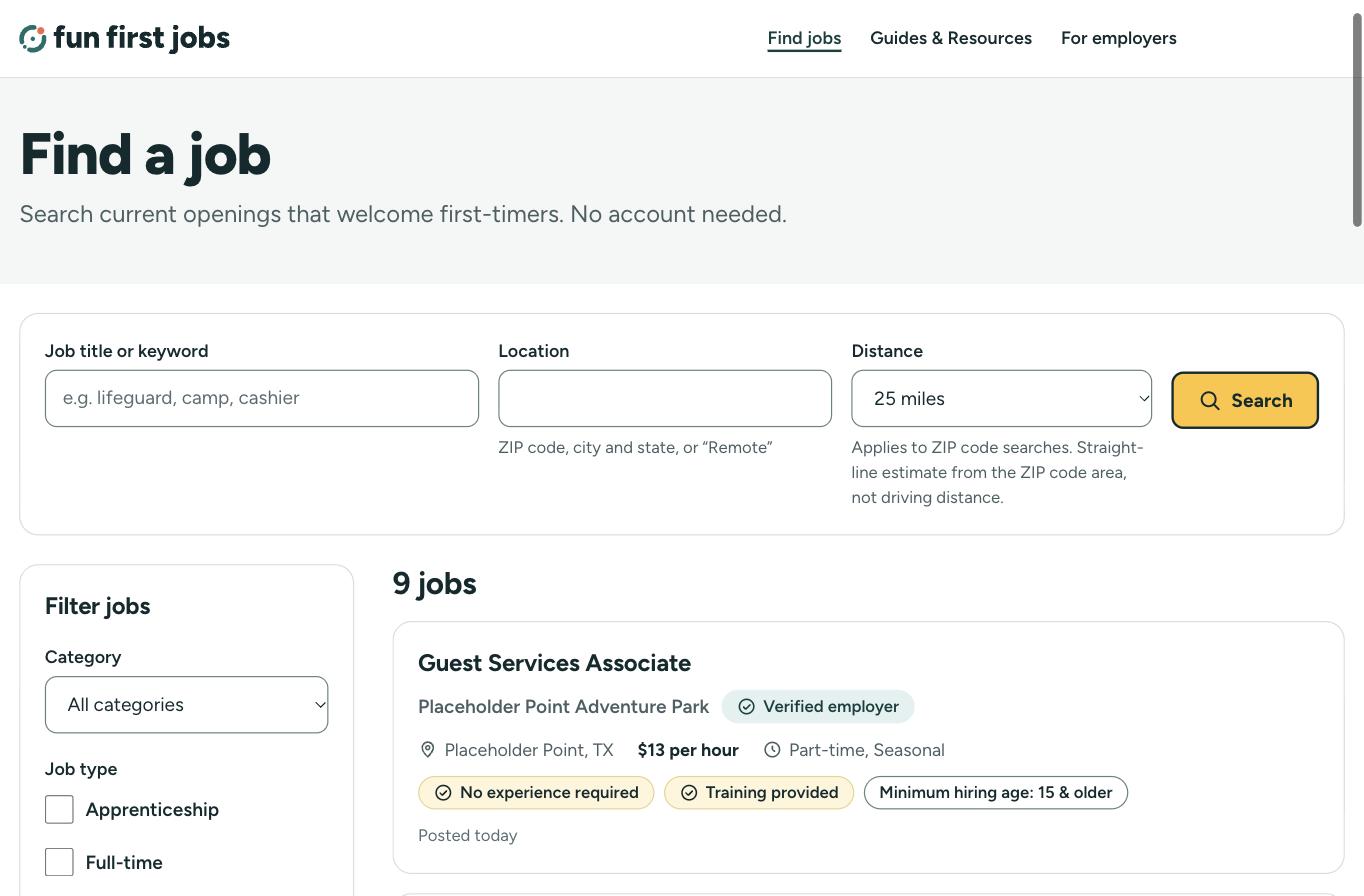
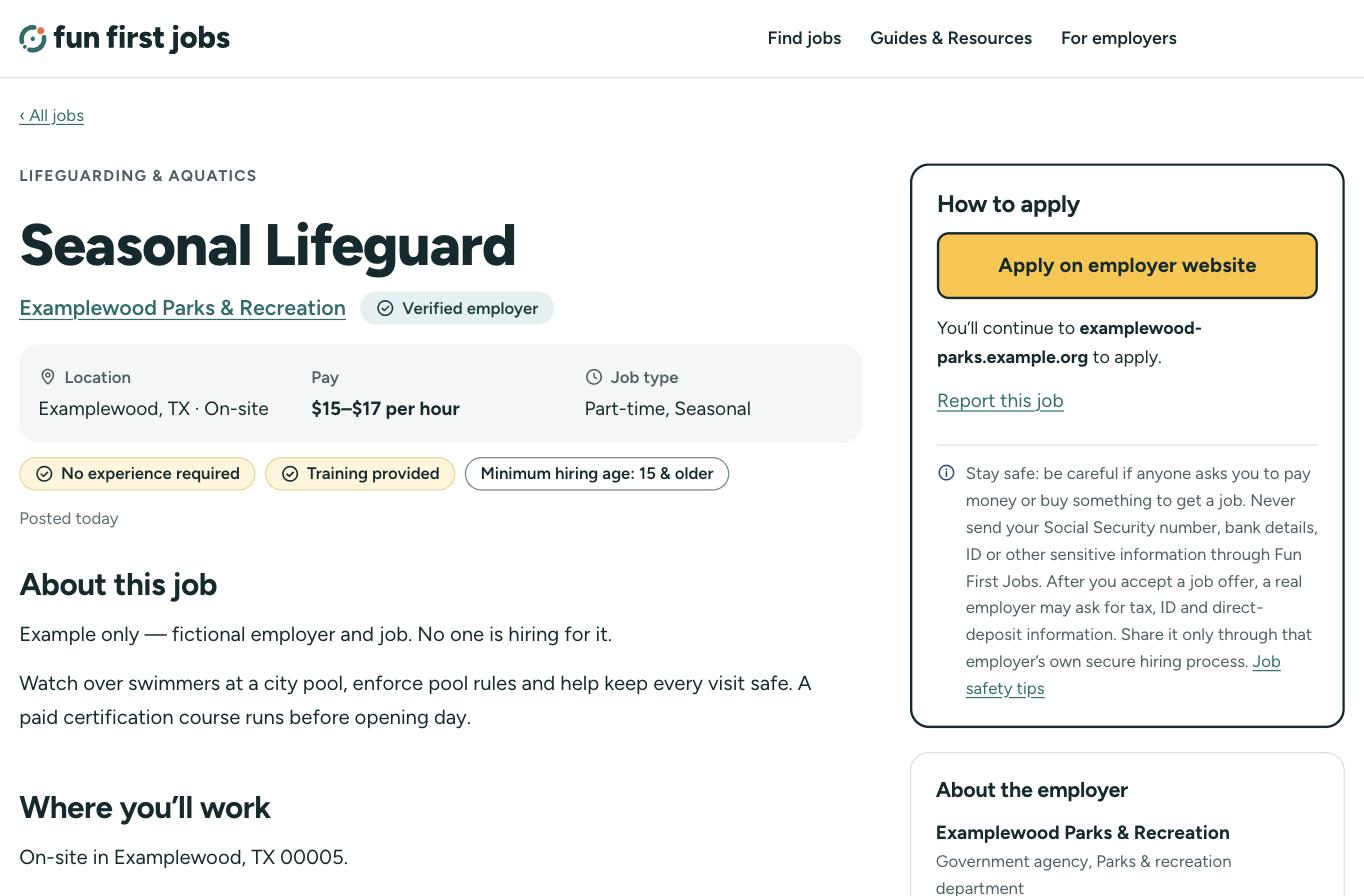
Anyone can browse jobs without an account. Listings show the employer, location, pay, job type, training, requirements and how to apply, plus the minimum hiring age when the employer provides one.
Trust is part of the product
We check that each organization is real and that the person posting is connected to it. “Verified employer” means we confirmed the organization controls, or is reasonably associated with, the website or contact information listed for it. It isn’t an endorsement, background check or guarantee of workplace safety.
Reviewed jobs
Every job passes our safety checks before it’s published, and some get a closer look from our team.
Reporting on every listing
Every job and employer page has a Report link.
Action on serious concerns
We review reports and can pause a listing while we look into it.
Ready to find your next great hire?
Job postings are free. Create your employer account, verify your organization and start building your first listing.
Questions first? Contact us.